Several phones, one live view
Parents, relatives or care-team members can follow the same sensor in real time.
Give families, clinicians and care teams live body temperature curves, configurable alerts and exportable history from day one. Launch with the P20 app, localise it for your market, commission an app under your own brand, or connect P20 data to the system you already run.
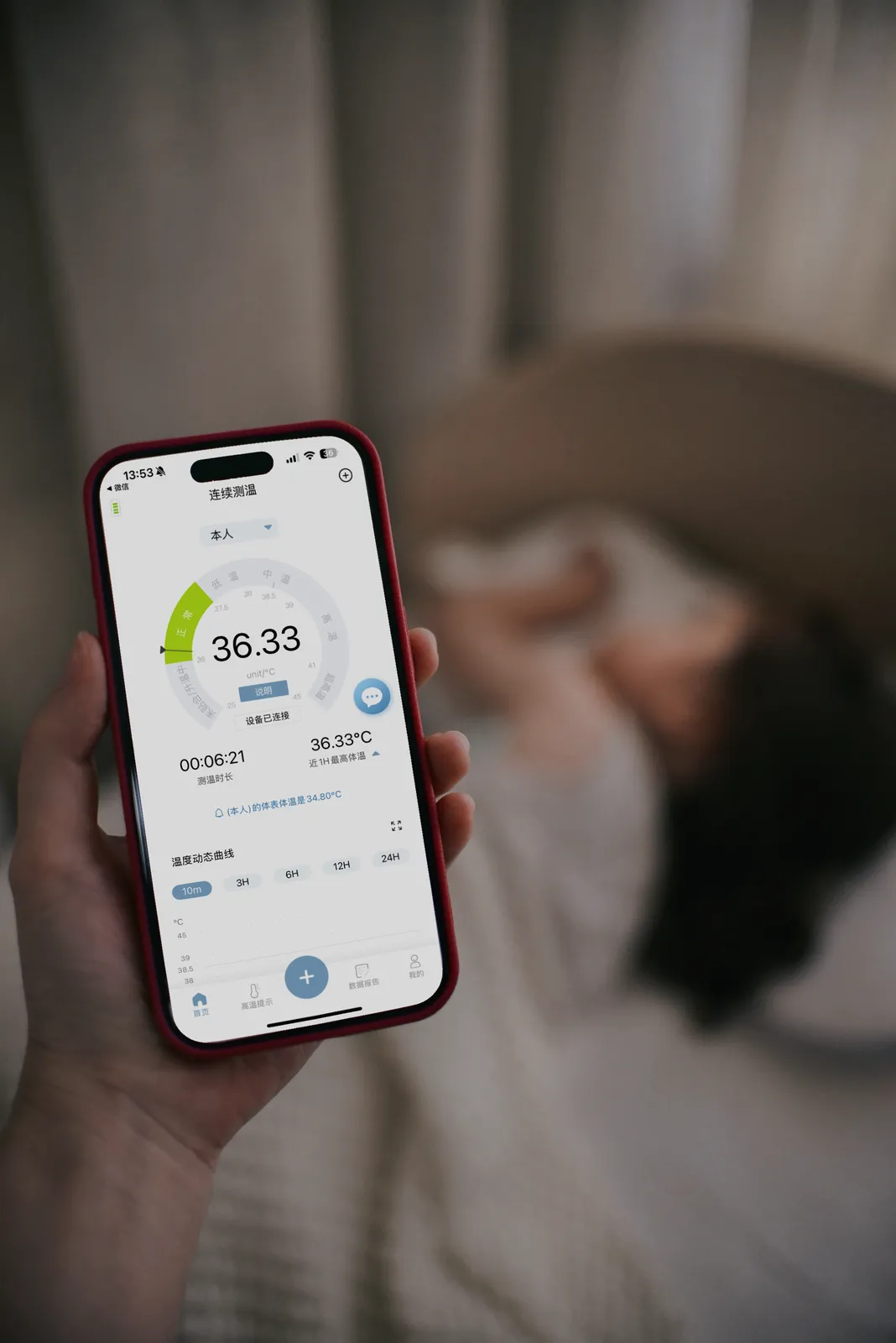
Start with the continuous body temperature features families and care teams already understand. Then adapt the brand, language and workflow for the people you serve.
Parents, relatives or care-team members can follow the same sensor in real time.
Export the full body temperature record for clinical review, follow-up or caregiver handover.
Recognise a sudden skin-temperature drop and alert the caregiver during paediatric use.
Give users a familiar mobile experience across both major smartphone platforms.
The parts partners usually want to change before they launch.
Put your own name, icon, colours and visual identity in front of the customer. We can develop a branded app that sits naturally beside your device, packaging and support materials.
The P20 app is currently available in English and Chinese. For partners entering another country, we can localise the interface and user-facing content. Large distributors can also keep the P20 brand while adding the language their market needs.
Keep family sharing, exports and user-set thresholds where they help. Hide consumer features, lock settings or add required fields when the app needs to follow a partner protocol.
For home fever care, keep setup simple and make sharing easy for parents and relatives. For hospitals, elderly-care facilities or service providers, shape the app around patient IDs, care-team access, alert thresholds and review workflows.
From launching with our app to running it inside your own platform.
The fastest route for distributors and programmes that want a ready-to-use continuous body temperature monitoring app. Keep the P20 identity, with language localisation available for your market.
Build a customer-facing fever monitoring experience around your brand, preferred languages and use case, while pairing it with the proven P20 wearable sensor.
Use the mobile SDK, or gateway-level integration, to bring the temperature readings into your own app, EMR, HIS, RPM platform or facility system.
Integration scope and commercial terms depend on the route selected and the expected hardware volume.
From the first requirements call to the app going live.
Tell us about your market, users, brand, platforms, required languages and expected hardware volume.
We define the right route — a localised P20 app, a branded app, or integration with your existing system.
Your team validates the app, sensor connection and continuous fever monitoring workflow with test devices.
Finalise release preparation, partner documentation and the support plan for your market or deployment.
Yes. We can discuss developing a branded app with your name, icon, colours and customer-facing identity. The exact scope is agreed around your market, workflow and hardware plan.
The P20 app is currently available in English and Chinese. We can add another language for partners serving a specific country or market, including large distributors that want to retain the P20 app brand.
Yes. We can keep the features your users need, remove the ones they do not need, and adjust screens, fields and alert settings around your use case. For example, a branded home-care app may keep family sharing simple, while a clinical version may add patient IDs, protocol-based thresholds or a more controlled workflow.
Yes. The P20 mobile SDK supports integration of sensor data into your own iOS or Android app, so the standard P20 app is not required.
Yes. The mobile SDK is the standard route, and gateway-level integration is available for facility systems. Server-side access is scoped project by project rather than offered as a general API.
Yes. Several phones can follow one sensor in real time, allowing parents, relatives or members of a care team to see the same continuous body temperature information.